Seating plans that fit.
The web-based hall-planner software for hotels, venues and event spaces — create seating plans and layouts by drag & drop.
Interactive, in your browser
drag & drop, instantly for the whole team
Automatic placement
enter the number, done
True-to-life floor plans
from CAD, PDF or sketch
Label & mark freely
areas, furniture & seats
Measuring tool
distances live in centimetres
Colour furniture
highlight seats and areas in colour
Draw escape routes
evacuation paths right in the plan
Features
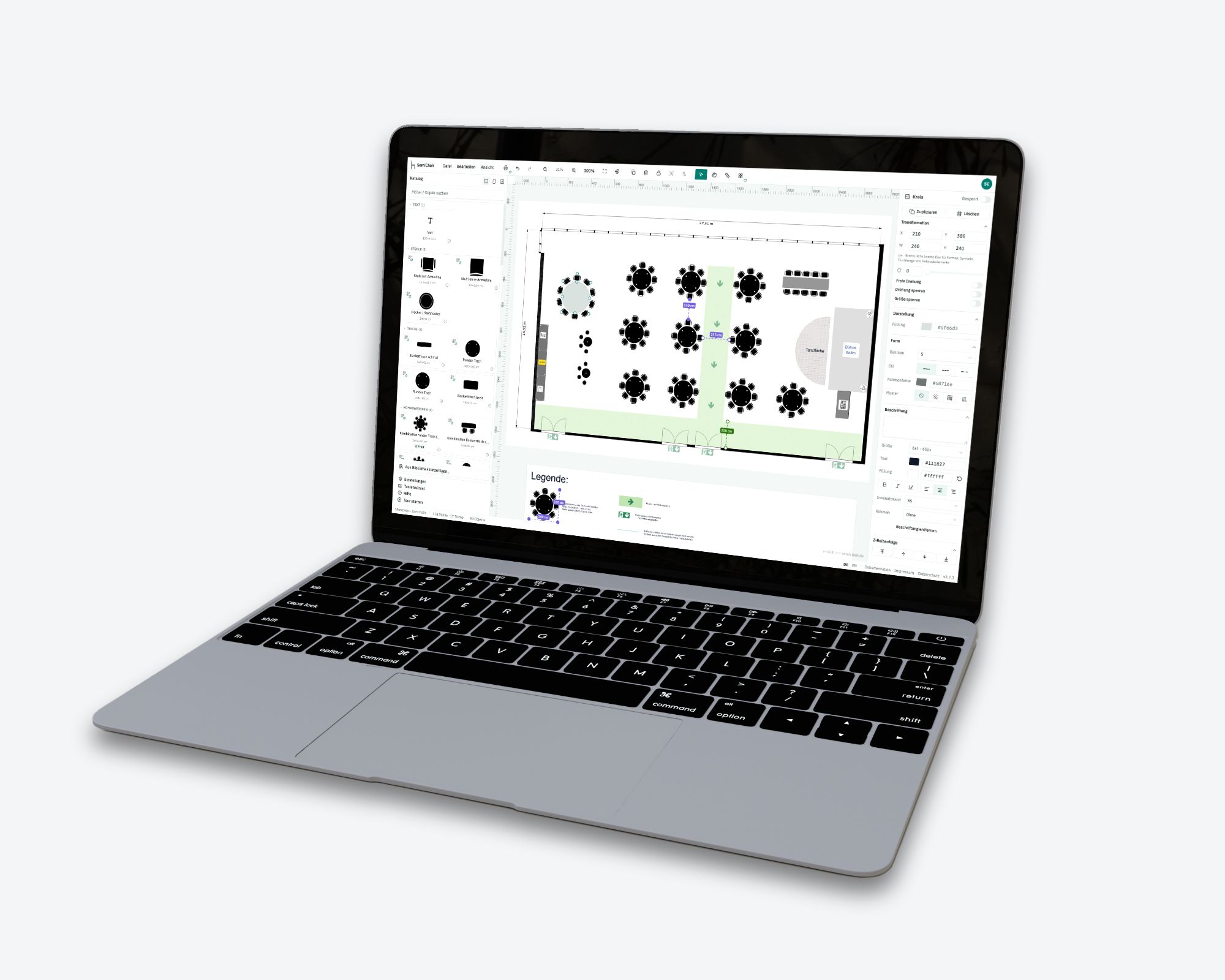
Fig. 01 — Intuitive design using drag and drop
Intuitive design using drag and drop
The intuitive design and user interface make it easy to use and quick to plan, right in the browser. Create seating plans for seminars, events, meetings, gala evenings, weddings and much more, with seating styles such as block, banquet, gala, rows of chairs, parliamentary or U-shape.
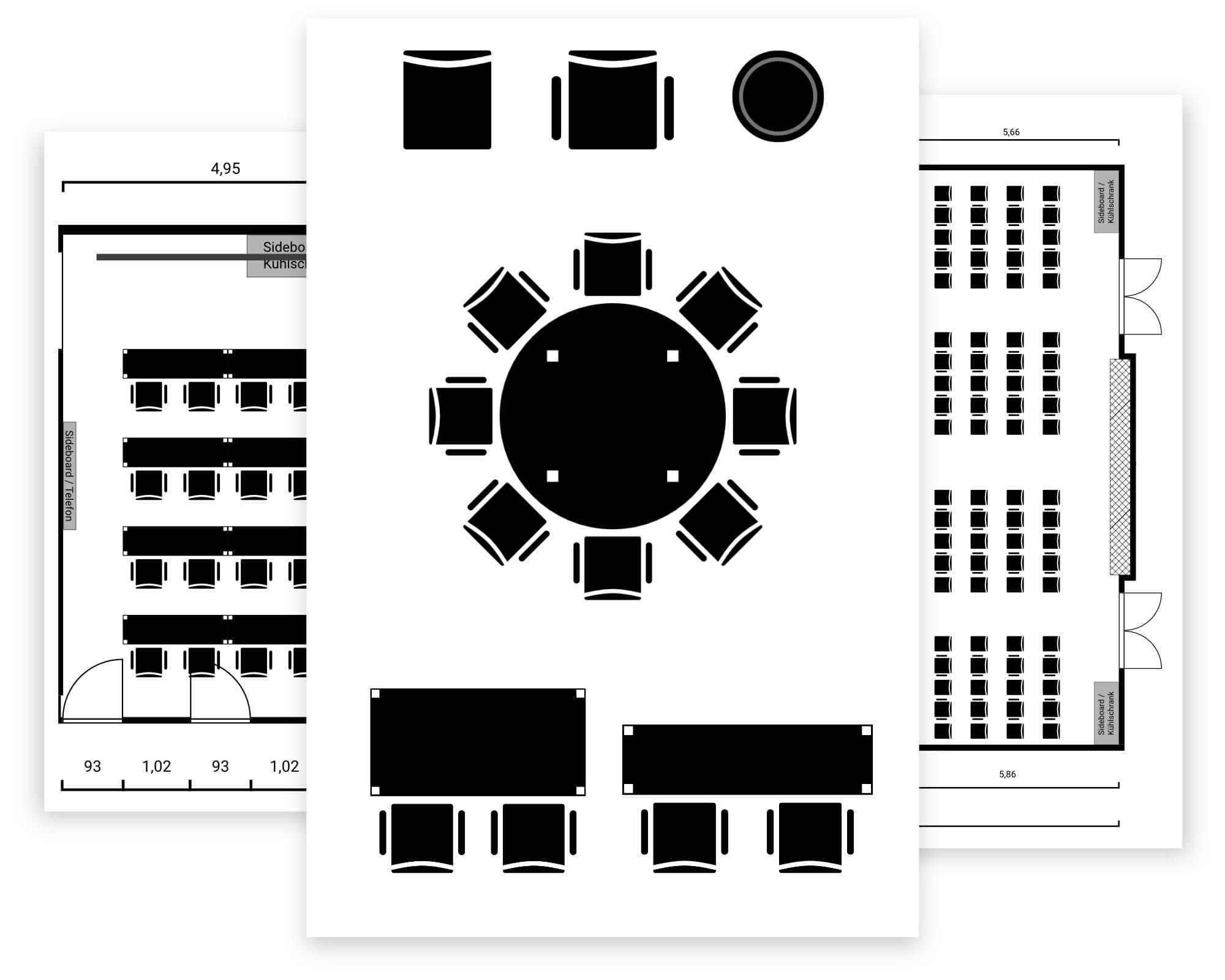
Fig. 02 — Bespoke furniture and floor plans
Bespoke furniture and floor plans
Custom-drawn floor plans allow for work that is as true to the original as possible. Ready-made standard furniture is available: various chairs, tables, combinations, room elements and placeholders with custom sizes. Customer-specific furniture can be commissioned individually.
Fig. 03 — Team-based licence
Team-based licence
One licence for the whole team! No matter how many team members are working on it! No software installation on workstations or computers required. The web-based tool is accessible to everyone, everywhere – even remotely, and by several users at the same time. In addition, the latest updates are always available automatically.
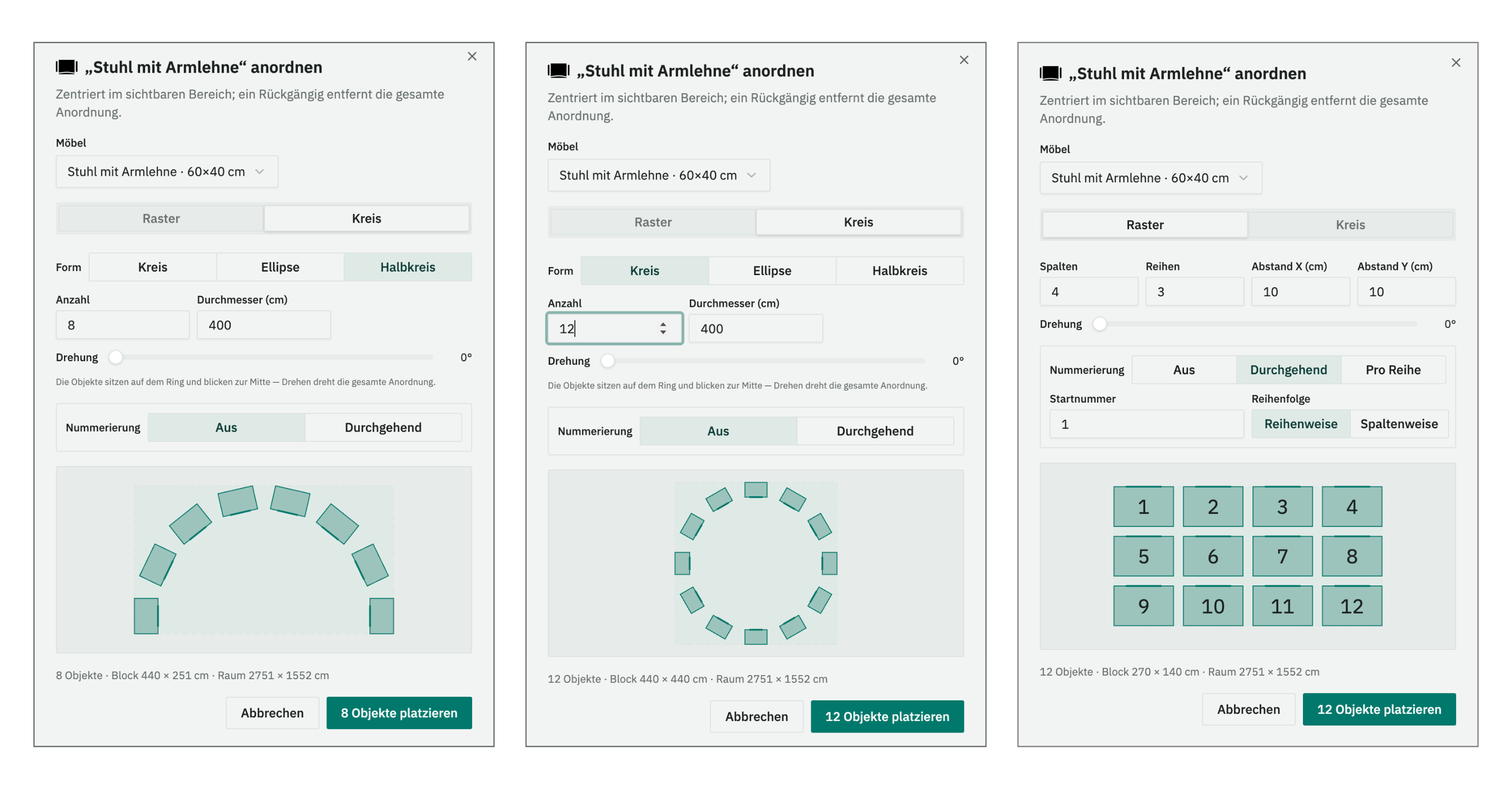
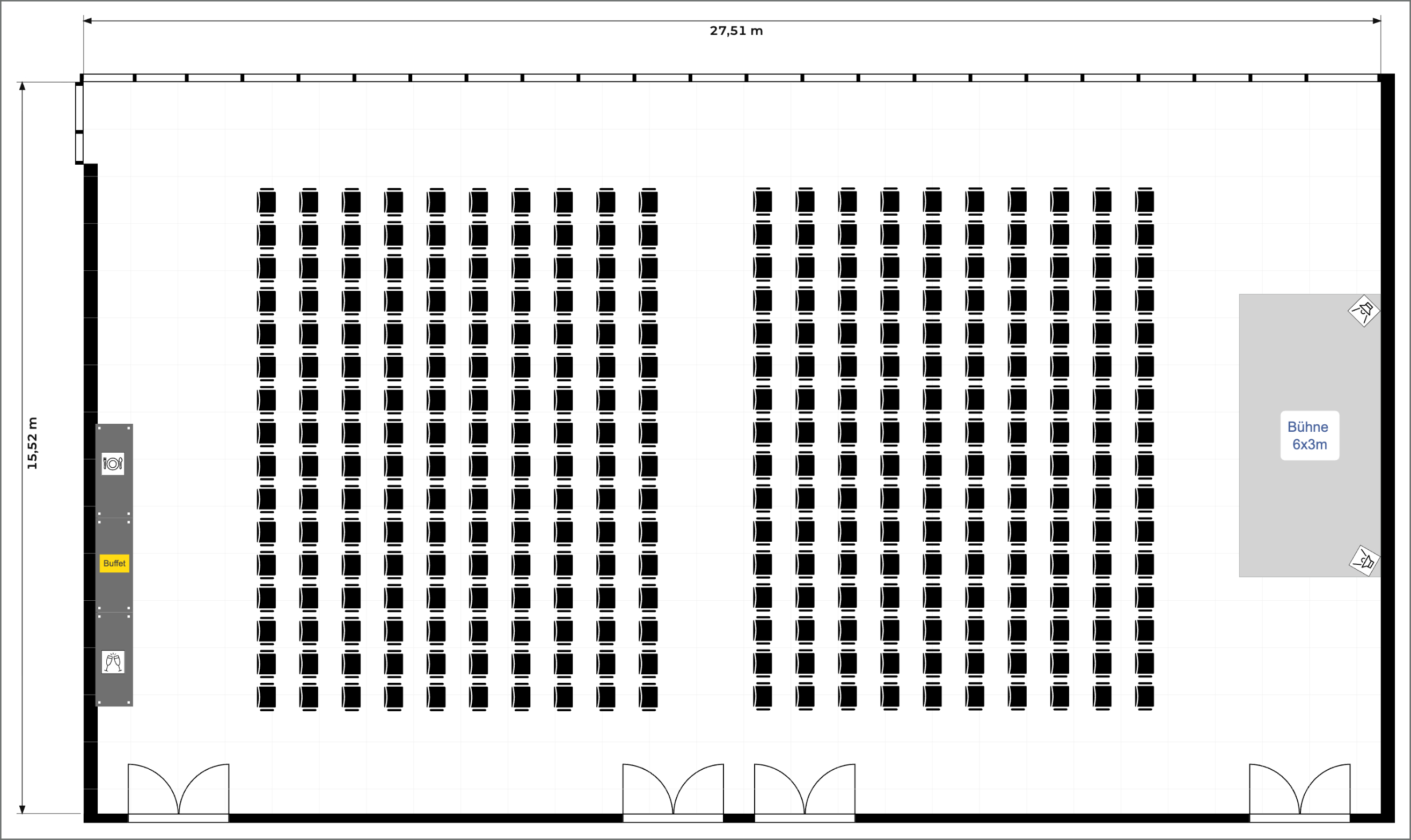
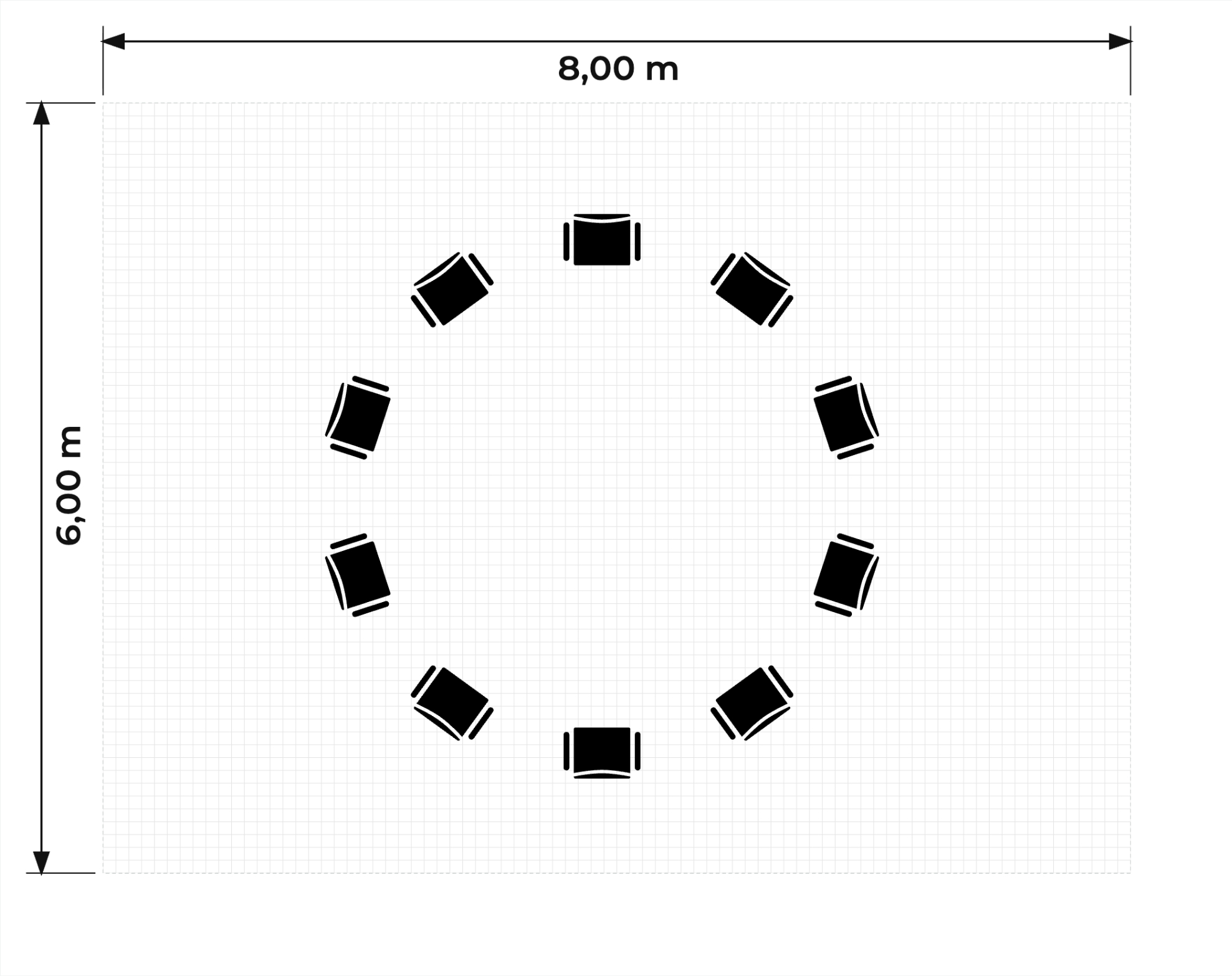
Fig. 04 — Automatic furniture placement
Automatic furniture placement
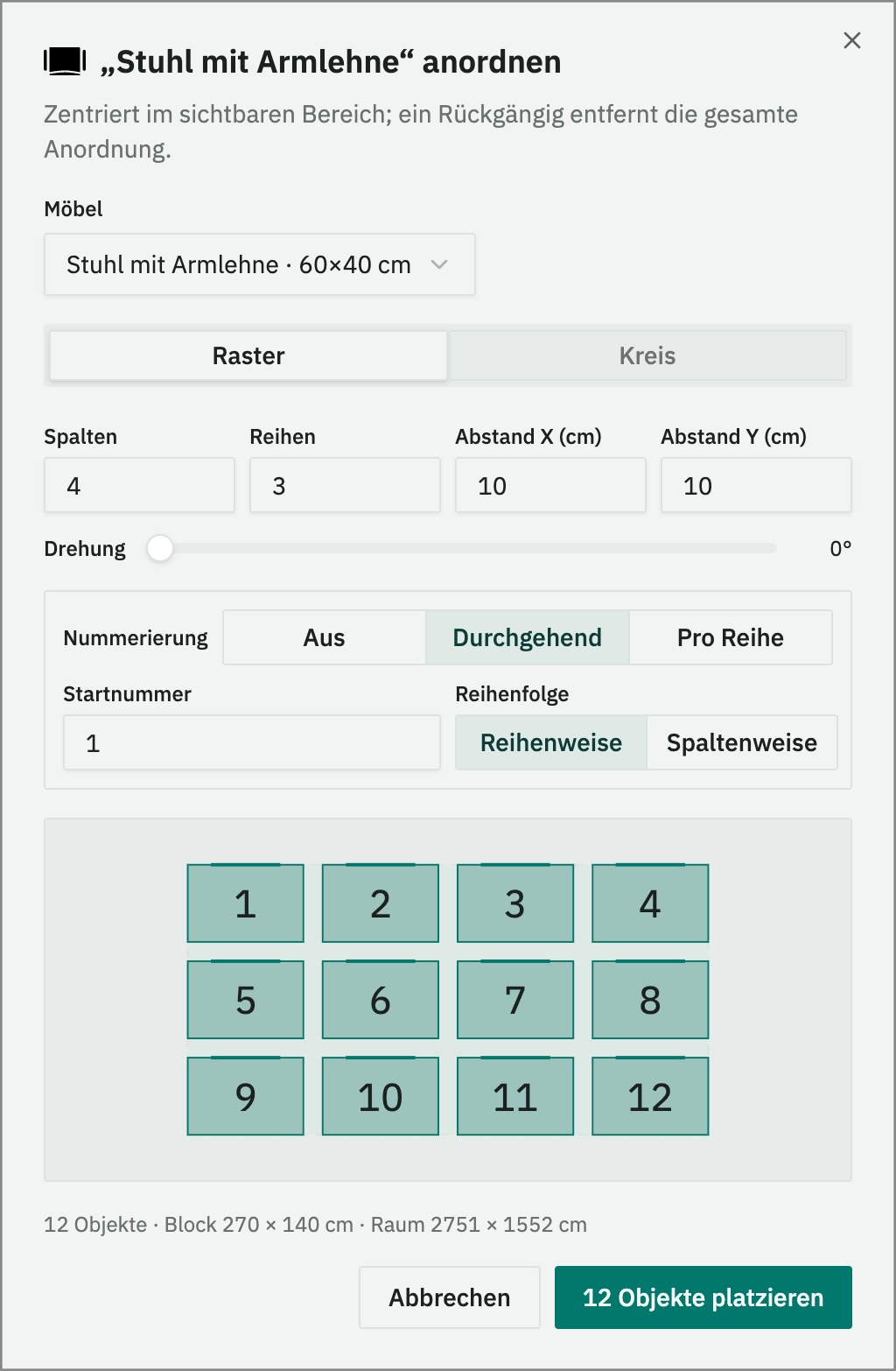
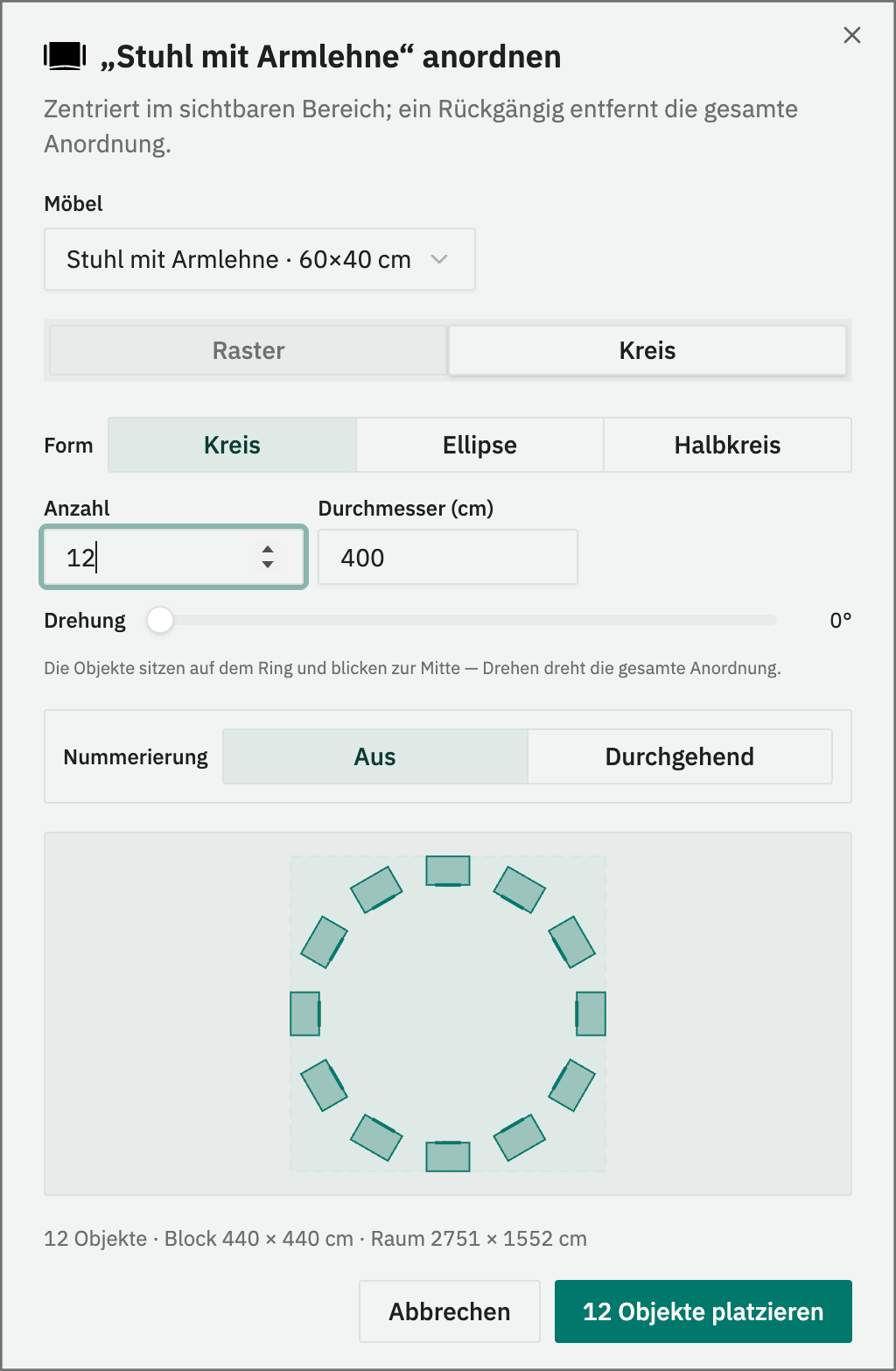
With the help of the furniture configurator, you can plan entire rooms in just a few clicks. Simply select the number of pieces of furniture and the spacing, and the tool creates the perfect grid. Ideal for large venues with lots of chairs or tables.
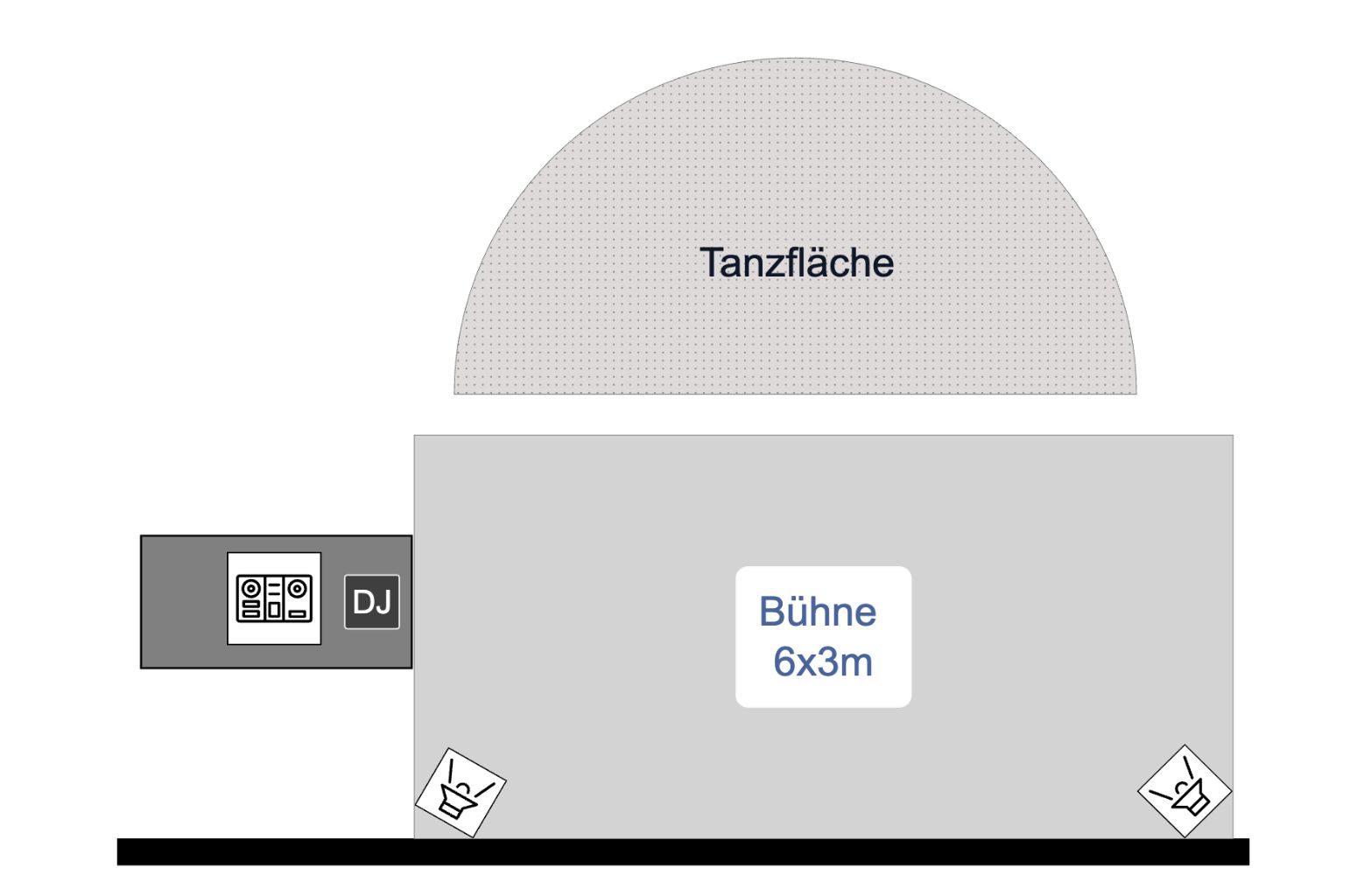
Fig. 05 — Flexible labelling and marking
Flexible labelling and marking
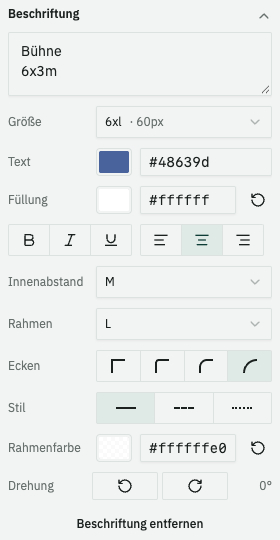
The built-in text function allows you to add labels to furniture, seats or entire areas directly on the plan. Ideal for reservations, table names, notes or room zones. Text colour and background colour are freely selectable, as are classic formatting options such as font size, font style and text alignment. The text element behaves like a piece of furniture and can be freely moved, rotated or copied.
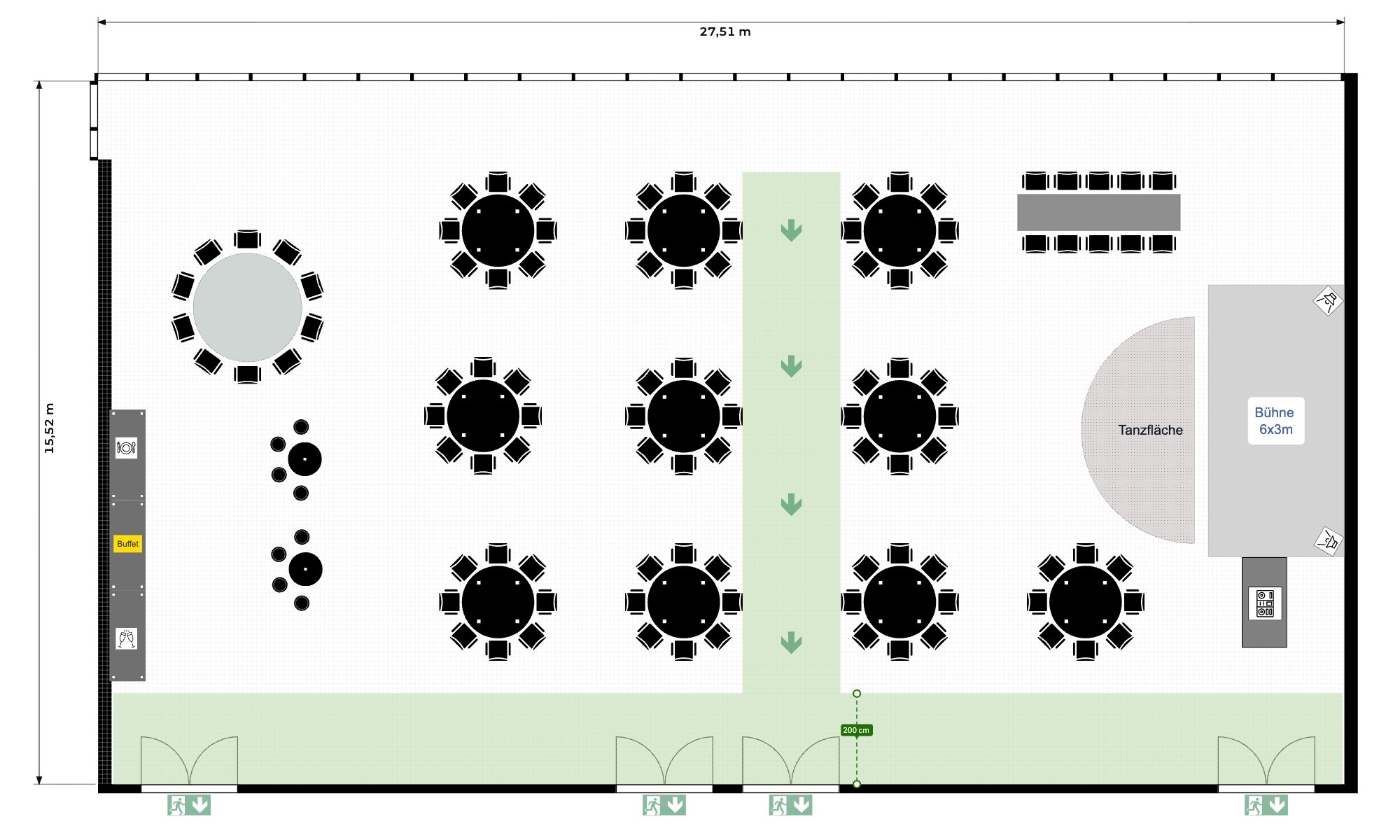
Fig. 06 — Escape and evacuation routes in the plan
Escape and evacuation routes in the plan
Mark escape routes, evacuation paths and exits directly in the seating plan – with widths, direction arrows and exit symbols. That turns the seating into a plan you can defend and hand to the authorities, the fire brigade or the event organiser. Available in the Enterprise plan.
With SemiChair, we can plan our layouts more quickly and, above all, tailor them to our clients' specific needs. It's really intuitive to use! Spacing requirements from various guidelines can also be implemented easily.

We set up your first room free of charge.
Send us a floor plan, now or later — CAD, PDF, image or a hand sketch. We set your room up in SemiChair, true to scale. For marquees, the size is all we need – just put it in your message, no plan required.
- Free: Setting up your first room – one room per venue, no obligation.
- After that: You choose one of our plans – from 29 € a month. Compare plans →
✓ OK
Thank you!
We will get back to you shortly.
Built for your industry
Create seating plans quickly and professionally – with no training and no overkill features. Ready to go for your whole team.
Perfect seating plans for every event venue
Hotels
Plan your events in hotels efficiently and professionally with SemiChair. Whether you are organising seminar rooms, conference spaces or wedding celebrations, our intuitive tool helps you create individual seating and room plans in next to no time.
From elegant banquet seating for weddings to parliamentary seating arrangements for conferences – SemiChair offers flexible options that adapt perfectly to your requirements. Use customer-specific floor plans and automatic furniture placement, and save your standard layouts to optimise your planning processes for the long term. Impress your guests and boost your efficiency – SemiChair is your partner for professional event planning in hotels.
Marquees
Make your marquee events a highlight – with SemiChair! Whether traditional beer festivals, stylish weddings or private celebrations, our seating planner gives you all the tools you need to create the perfect room plan for your event.
Plan individual seating arrangements for beer tables, stage setups or dance floors and adapt the space flexibly to changing requirements. Thanks to our drag-and-drop interface and automatic furniture placement, planning is easier than ever. SemiChair saves you time and enables smooth organisation, so your marquee events remain unforgettable.
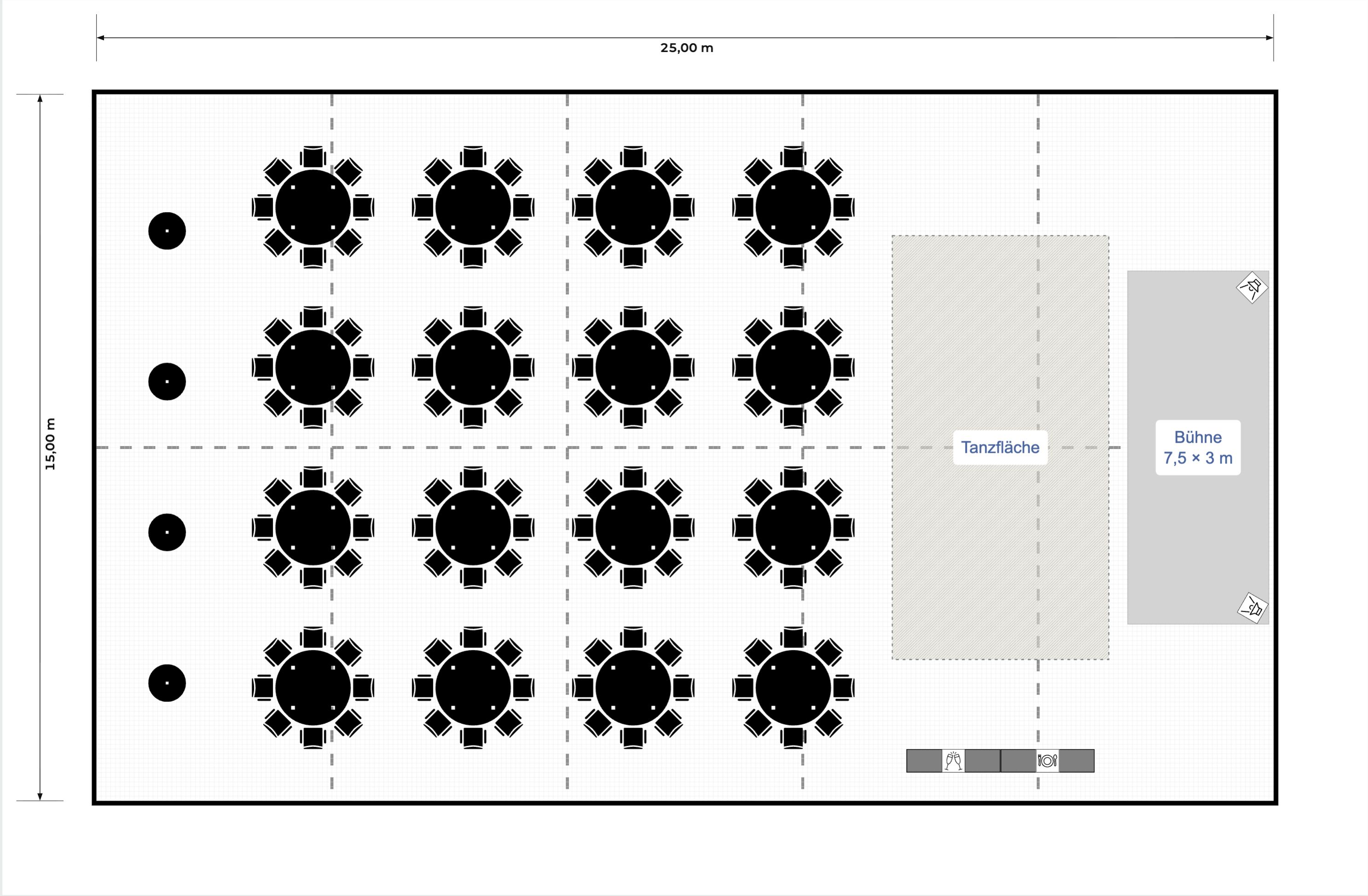
Plan your tent right in the browser. Set up a tent of any size, then lay out beer-tent benches, banquet or theatre seating with escape routes – try it right away, no sign-up.
Open the tent plannerLocal authorities
Efficient event planning for local authorities – SemiChair makes it possible. Whether community festivals, conferences or educational seminars, our tool helps you create flexible seating plans that are perfectly tailored to your premises and needs.
Use individual floor plans to make efficient use of rooms, and choose from a wide range of seating types such as row seating, U-shape or block. With the ability to save and adapt plans, your community planning always remains flexible and professional. SemiChair is the ideal solution for modern and efficient planning of community events.
Event planners & organisers
Plan events more smartly with SemiChair – the digital solution for event planners and organisers. Whether conferences, weddings, concerts or company parties, SemiChair offers all the functions you need for precise and time-efficient planning.
Work with custom-drawn floor plans, create automatic seating plans or use our extensive furniture library to visualise every event perfectly. Thanks to the intuitive operation, you not only save time but also offer your customers professional and fast planning. SemiChair is your reliable partner for making every event a success.
Restaurants
Turn your restaurant into the perfect place for celebrations with SemiChair! Our tool helps you create individual seating plans for private celebrations, dinner events or larger restaurant functions.
Adapt the seating to the room and the occasion – whether an elegant table arrangement for an upscale dinner or relaxed banquet seating for a private party. SemiChair lets you visualise your seating arrangements quickly and efficiently to give guests the best possible experience. Ideal for restaurants that regularly host events or organise special occasions such as birthday parties, weddings or company celebrations. Use the flexibility of SemiChair to set up your restaurant optimally for any kind of event.
Watch a hall lay itself out – then take over
Not a video, but the real planner: a complete banquet plan assembles itself in front of you – tables, escape routes, stage, dimensions. Then it is yours: move things, add things, rearrange. Whatever you change stays in this frame and is never saved.
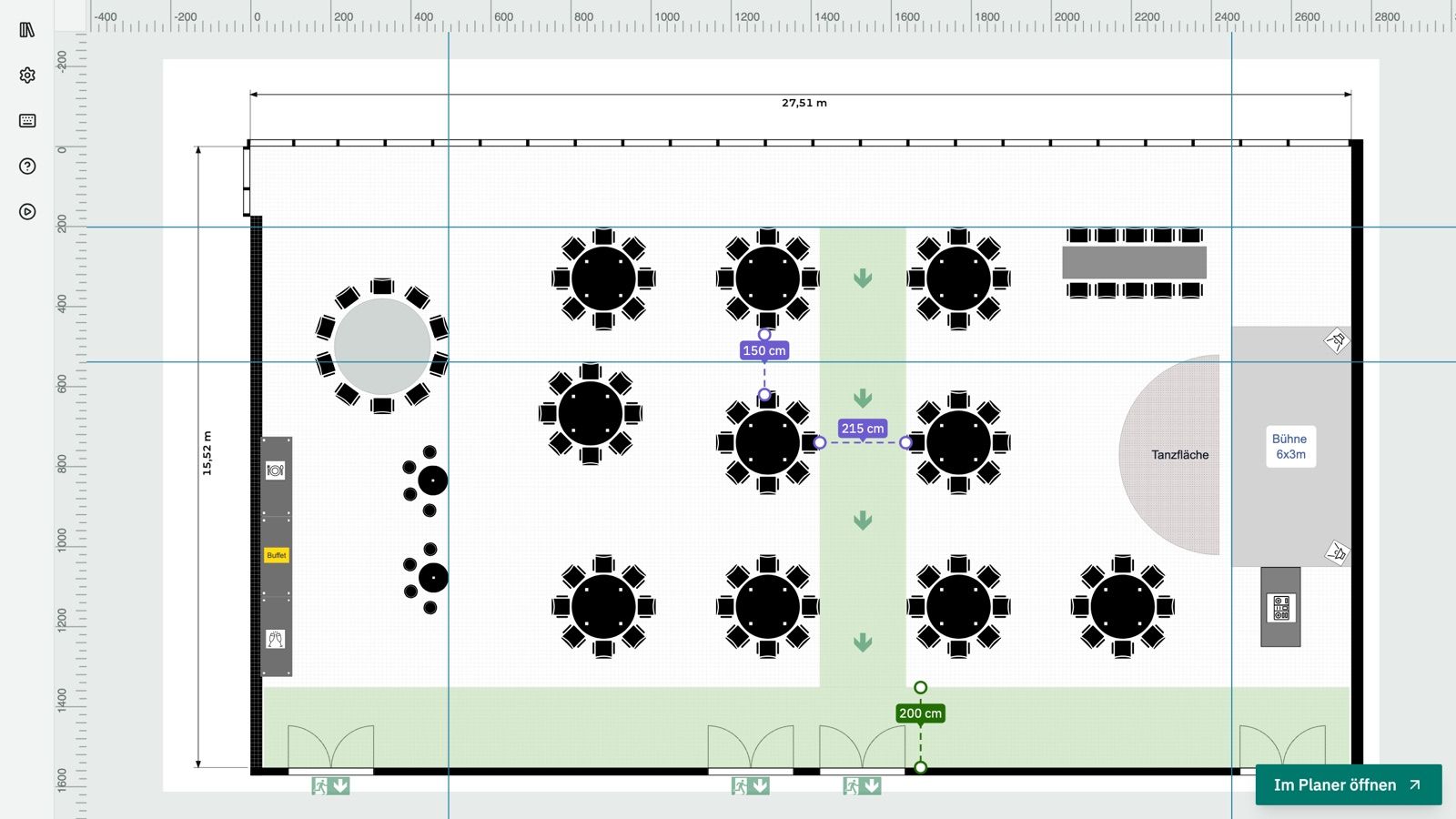
The planner needs a mouse and a larger screen. Open it on a computer – or see here what it produces.
Open the full plannerCreate seating plans for seminars, conferences and events
Many programs for creating seating plans and room layouts originated as 3D, CAD or architecture software. As extensive as their range of functions is, so too is the complexity of the program and the know-how required to operate it. SemiChair's goal is to fundamentally simplify this. Seating plans should be quick and intuitive to create.
The customer doesn't yet know whether they prefer block seating, parliamentary seating or theatre seating. No problem – planned in no time!
Choose from a variety of predefined furniture: chairs (with armrests, without armrests, stools), tables (banquet tables, round tables), combinations (e.g. banquet table with 2 chairs, round table with 6 chairs (cabaret), round table with 8 chairs (banquet)) and room elements (e.g. stage elements, projector screens).
The furniture can simply be moved, rotated, locked, deleted and duplicated with the mouse using drag and drop.
Our prices
Three plans – one price for the whole team.
Basic
from 29 € / month *
plus a one-off setup fee — set-up from 150 €
Quick and interactive planning.
- › Unlimited users, devices & events A subscription licence for the whole venue: any number of staff, any number of devices, any number of events — no per-seat licence fees, no installation.
- › 1 room, to scale We set up your room to scale during setup – from an existing floor plan or, on request, professionally redrawn. Multiple rooms from Professional.
- › Furniture by drag'n'drop Place, move, rotate, lock and resize to the exact centimetre.
- › Full furniture library Furniture, combinations, room elements, placeholders and symbols – all with real dimensions.
- › Furniture combinations E.g. a round table with 8 chairs or a banquet table with 2 chairs, placed as a template. Tables and seats are counted automatically.
- › Multi-select & 100-step undo Edit several pieces at once; every step can be undone up to 100 times.
- › Furniture & seat count The plan automatically counts how many pieces of furniture and seats are placed – capacity at a glance, no manual counting.
- › Save & automatic backups Save plans as a file, plus rolling backups locally and on the server.
Professional
from 49 € / month *
plus a one-off setup fee — set-up from 150 €
Everything in Basic – plus:
- › 3 rooms included Switch between all the rooms in your venue from a room picker. Each additional room 10 € / month.
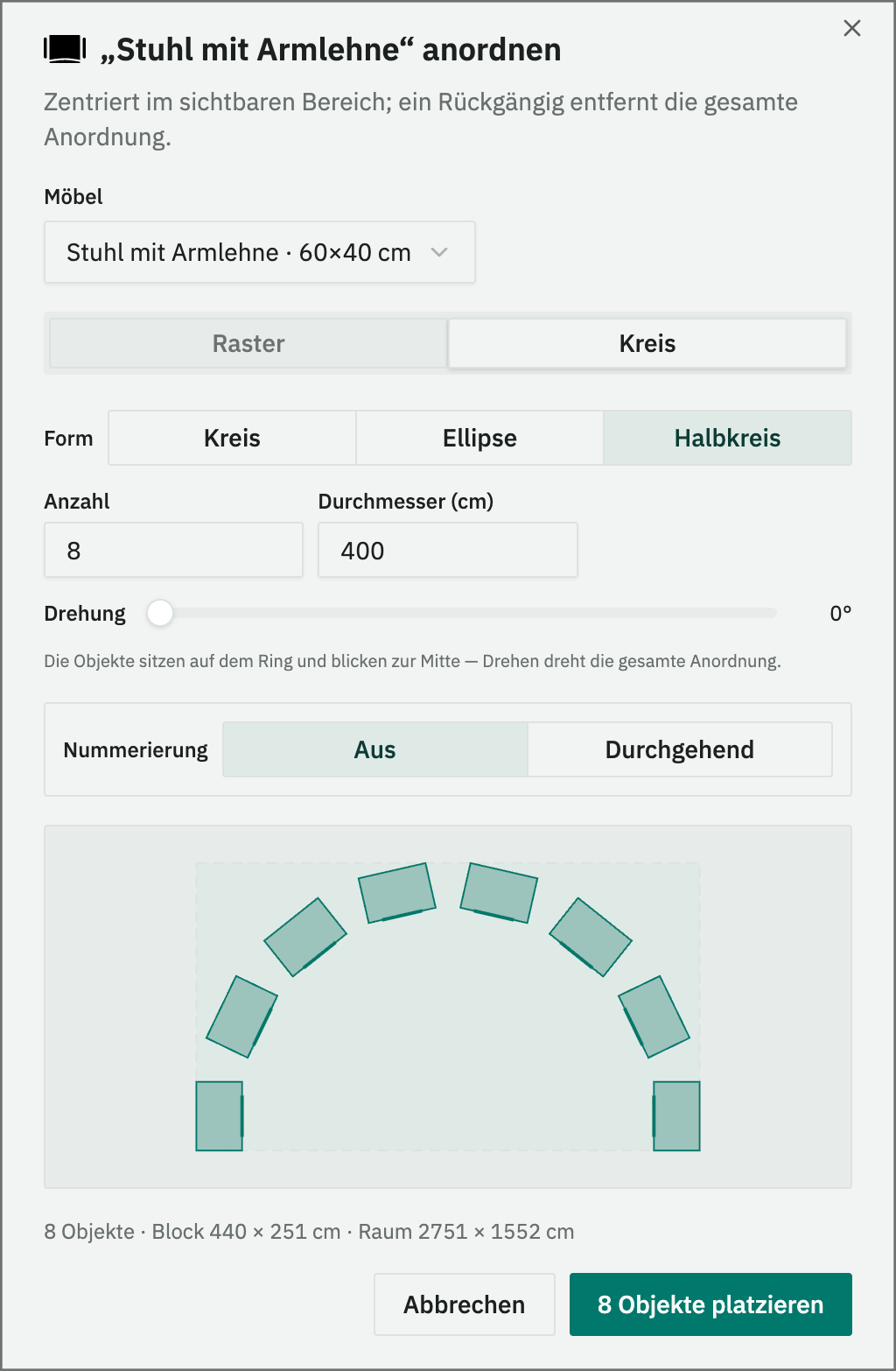
- › Furniture configurator Generate whole arrangements at once – rows, blocks, circle, ellipse or half-circle.
- › Align & distribute Line up tables, rows and whole groups in one click and space them evenly to the centimetre – with an exact aisle width.
- › Measuring tool, rulers & guides Measure distances live in centimetres and align furniture exactly.
- › Text fields & labels Table numbers, names, notes and zones directly in the plan.
- › A4 print & PDF export Print the finished plan or export it as a PDF – for you, your clients or the setup crew.
- › Support
Enterprise
from 79 € / month *
plus a one-off setup fee — set-up from 150 €
Everything in Professional – plus:
- › Draw your own rooms & marquees Room builder with a room library – add new rooms and marquee sizes yourself, any time.
- › Floor-plan import Import a floor plan as an image and calibrate it to scale with two points.
- › Escape routes Mark escape and evacuation routes as well as exits in the plan.
- › Colour furniture individually Highlight individual pieces in colour – e.g. reserved seats or areas.
- › Run it on your own network SemiChair runs on your own infrastructure – your plans never leave your network.
- › Priority support
Complete feature list Close feature list
| Feature | Basic | Professional | Enterprise |
|---|---|---|---|
| Planning & editing | |||
| Place & edit furniture Add, move, rotate, lock, duplicate and delete – with the mouse, directly in the room. | included | included | included |
| Grid & room boundary Snap furniture to the grid – with or without an interactive room boundary. | included | included | included |
| Planning to the centimetre New in v2 Position and resize to the exact centimetre – the plan is a capacity statement, not a sketch. | included | included | included |
| Furniture & seat count The plan automatically counts how many pieces of furniture and seats are placed – capacity at a glance, no manual counting. | included | included | included |
| Multi-select Multi-select by mouse and shift-click to move several pieces at once. | included | included | included |
| Undo & redo New in v2 Up to 100 steps back and forward again. | included | included | included |
| Grouping & quick-select Combine furniture into groups and recall them instantly from quick-select slots. | not included | included | included |
| Furniture configurator Generate whole arrangements automatically: rows for cinema and theatre seating, blocks for banquet, circle, ellipse or half-circle. | not included | included | included |
| Align & distribute New in v2 Line up several objects and space them evenly to the centimetre, e.g. a 120 cm aisle between every row of tables. Groups stay together; locked objects like the stage act as the anchor. | not included | included | included |
| Furniture & catalog | |||
| Furniture library Furniture, combinations, room elements, placeholders and symbols – all with real centimetre dimensions. | included | included | included |
| Furniture combinations Table-with-chairs units, e.g. a banquet round with 8 chairs, drop in as a single object. | included | included | included |
| Your own furniture Customer-specific items are added and standard pieces renamed to your in-house names – part of onboarding. | included | included | included |
| Colour furniture individually New in v2 Highlight individual pieces in colour, e.g. reserved seats, areas or categories. | not included | not included | included |
| Measurements & precision | |||
| Measuring tool New in v2 Measure distances with a live centimetre readout; endpoints stay anchored to the furniture they were snapped to. | not included | included | included |
| Rulers & guide lines New in v2 Pull out guide lines and align furniture precisely to them. | not included | included | included |
| Snapping to furniture New in v2 Furniture snaps to neighbouring pieces; Shift locks the axis and rotation snaps to fixed angles. | not included | included | included |
| Labelling & safety | |||
| Text fields Table numbers, names, notes and room zones directly in the plan – with font, size and colour. | not included | included | included |
| Escape routes New in v2 Mark escape and evacuation routes as well as exits – for plans that hold up to scrutiny. | not included | not included | included |
| Rooms & floor plans | |||
| Your rooms, to scale We set up your rooms to scale during setup – from an existing floor plan (PDF / image) or professionally redrawn in vector, with their real walls, pillars and alcoves. | included | included | included |
| Multiple rooms (3 included) Switch between all the rooms in your venue from a room picker. Each room beyond the 3 included costs 10 € / month. | not included | included | included |
| Room builder & room library New in v2 Draw your own rooms and marquee sizes and keep them in the library – for providers whose every job looks different. | not included | not included | included |
| Floor-plan import New in v2 Import an existing floor plan as an image and calibrate it to scale with two points. | not included | not included | included |
| Saving, printing & operations | |||
| Save & load Save plans as a file and reopen them any time – existing plans as the basis for the next event. | included | included | included |
| Automatic backups New in v2 Rolling backups locally and on the server, restorable from a picker. Included in every plan. | included | included | included |
| A4 print & PDF export Print-ready A4 layout with preview – print the finished plan or export it as a PDF, for you, your clients or the setup crew. | not included | included | included |
| Team licence A subscription licence for the whole venue: unlimited users, devices and events for one price – no installation, no user accounts, reachable in the browser from anywhere. | included | included | included |
| Your own address & logo, hosting in Germany Your venue gets its own address under app.semichair.de, with your logo in the app and on printouts; hosted in Germany, GDPR-compliant processing, DPA included. | included | included | included |
| Run it on your own network SemiChair runs on your own infrastructure – full feature set, and your plans never leave your network. | not included | not included | included |
| Support Personal support by email and phone. | not included | included | included |
| Priority support Your enquiries are handled first. | not included | not included | included |
Basic includes 1 room. Professional and Enterprise include 3 rooms, each additional room costs 10 € / month.
* Prices are exclusive of VAT.
- Hosting & development in Germany and Austria
- Personal support in German
Let's talk about your event
Do you have questions or would you like a guided walkthrough? Get in touch – we look forward to your enquiry.
- hallo@semichair.de
- Phone
- +49 (0) 176 76 288 021
✓ OK
Thank you!
Your message has been sent. We will get back to you shortly.
01 What are the one-off costs? +
Set-up from 150 €: server, domain & installation.
Rooms, one-off per room: from an existing floor plan (PDF / image) 25 € · professionally redrawn in vector from 200 €.
The easiest way to see it is on your own room: we set up your first room free of charge — send us a floor plan and you can try SemiChair with your own dimensions.
02 What does 'custom-drawn floor plans' mean? +
On request, we can draw the floor plans as true to the original as possible – for example, based on architectural data (CAD, dwg), existing images (PDF / image / vector graphic), or room dimensions and hand sketches.
These plans are created in vector format and allow unlimited zooming.
03 Is SemiChair a piece of software? +
No, SemiChair is a web-based tool that is simply used in the browser. From anywhere, even remotely. No installation on a device is required. The latest updates are available automatically.
Fast, simple, intuitive and always up to date!
04 Does the licence / price apply per employee? +
No. The licence is one-off and applies to the entire team – no matter how many people work on it. All team members can access SemiChair at the same time.
05 Can the seating plans be saved? +
Yes. In all packages, the plans can be saved in SemiChair and reloaded at any time. This means existing plans can quickly be used as a basis for a new event.
06 Can the seating plans be printed or exported as a PDF? +
Yes. From the Professional plan upwards, a print-ready A4 layout with preview is available – print the finished plan or export it as a PDF, for you, your clients or the setup crew.
07 How does automatic furniture placement work? +
With the furniture configurator, almost all furniture can be arranged automatically in a grid. The number, spacing and rotation of the furniture can be defined. Even cinema seating with 300 chairs can be created in next to no time.
08 Can furniture be aligned exactly and spaced evenly? +
Yes. From the Professional plan, several selected objects can be lined up in one click (left, right, top, bottom or centred) and spaced evenly. The gap can be set to the centimetre, e.g. a 120 cm aisle between every row of tables.
Groups stay together, so a table with its chairs stays a table with its chairs. Locked objects like the stage stay put and act as the anchor, and nothing moves past the room wall.
09 Does SemiChair count the furniture and seats in the plan? +
Yes, in every plan. The plan automatically counts how many pieces of furniture and seats are placed. That gives you the capacity without counting by hand.
10 Can furniture be labelled? +
Yes. With the text function, furniture, areas or seats can be labelled. Text colour and background colour are freely selectable, as are classic formatting options such as font size, font style and text alignment. The text element can then be used like a piece of furniture (move, rotate, copy, etc.).
11 What are furniture placeholders? +
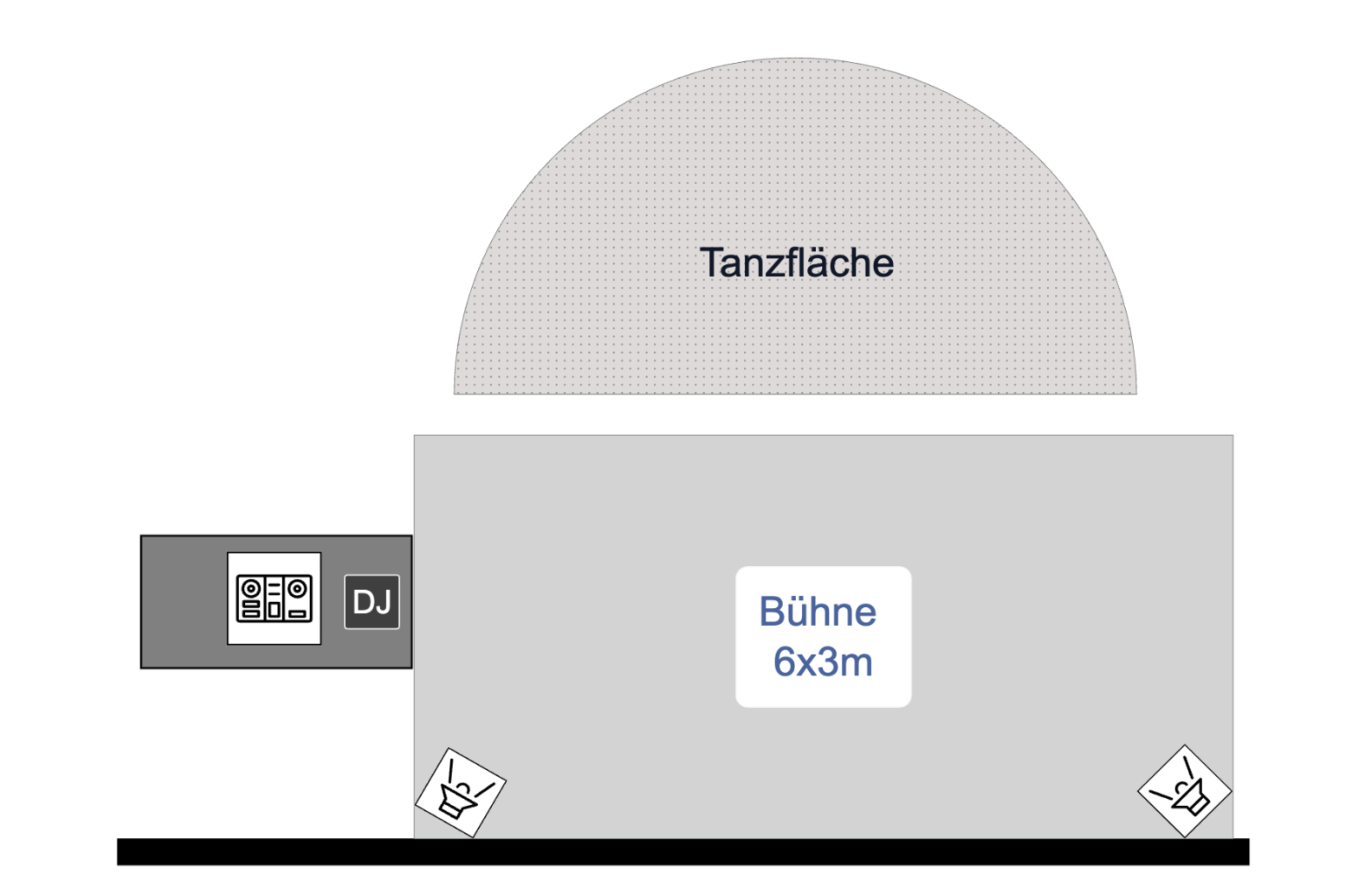
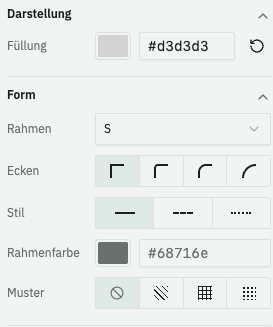
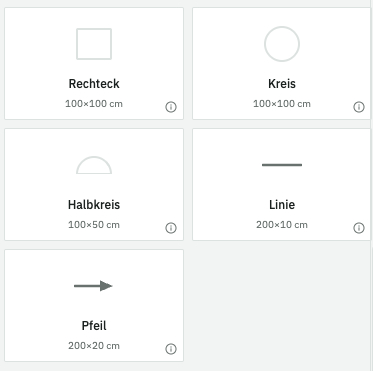
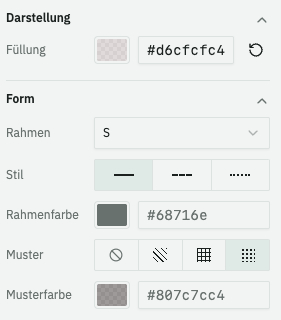
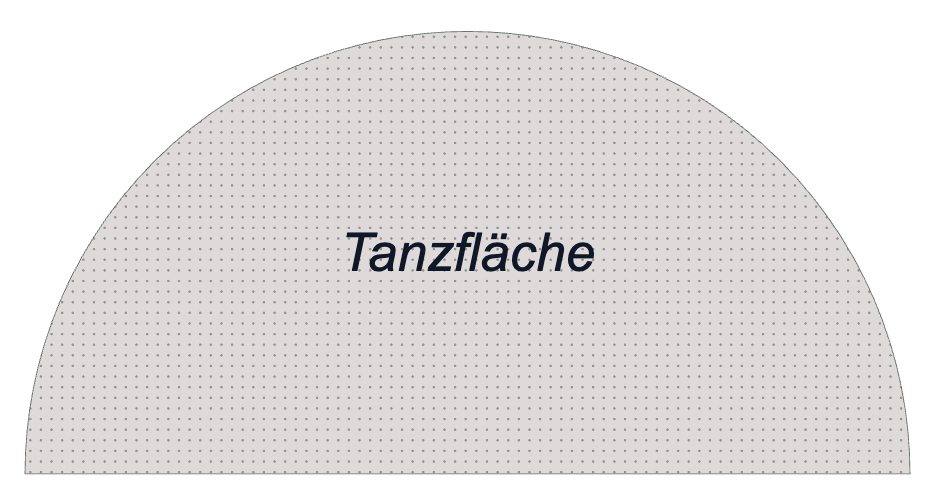
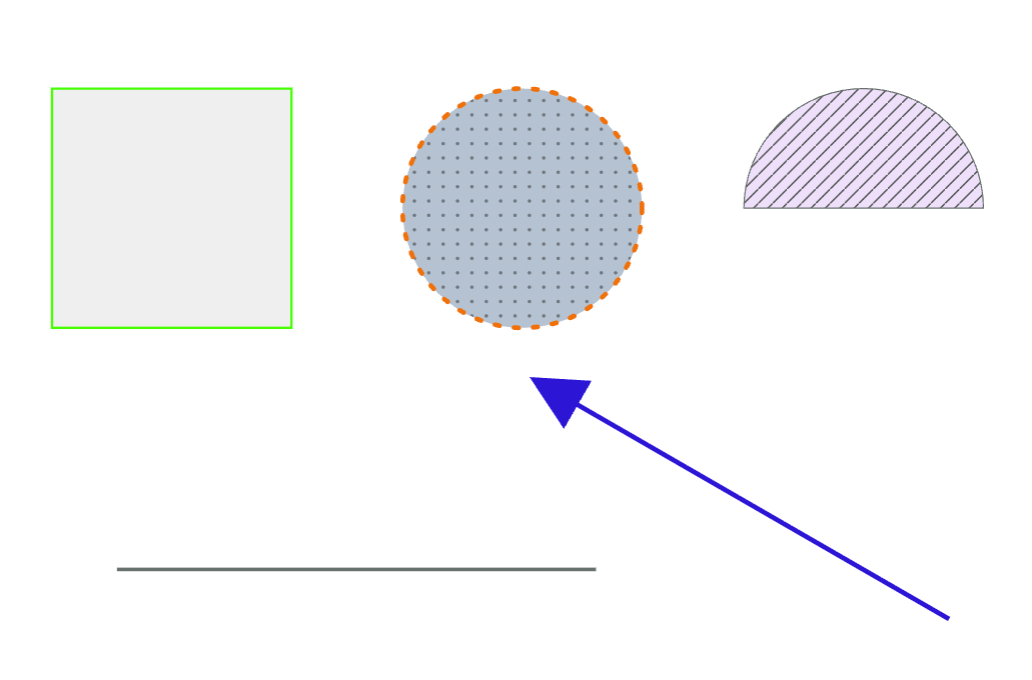
Furniture placeholders are free shapes: rectangle, circle, semicircle, line and arrow. With custom dimensions they can represent any element, such as a stage, bar, dance floor, exhibition elements and much more. Fill colour, border, line style and pattern are freely selectable. Lines and arrows can also be used to mark routes and directions.
12 Can distances be measured in the plan? +
Yes. From the Professional plan upwards, a measuring tool is available: distances are shown live in centimetres – between rows of chairs, to the wall or to the edge of the stage, for example.
The endpoints stay anchored to the furniture they snapped to, so moving a piece updates the measurement automatically. Rulers and guide lines help you align everything exactly.
13 Can escape routes be marked in the seating plan? +
Yes. In the Enterprise plan, escape routes, rescue routes and exits can be marked directly in the plan.
That turns the seating plan into a traceable, checkable document – particularly for town halls and community venues, where routes and capacities should be documented rather than guessed, across changing renters.
14 Can individual pieces of furniture be highlighted in colour? +
Yes. In the Enterprise plan, individual pieces of furniture can be coloured – reserved seats, VIP areas, table groups or categories, for example.
That makes it obvious at a glance which area is meant for what – in the plan you send your clients as much as during setup.